Also visit: Typeflow WordPress theme
Understrap WordPress Theme: A Powerful Combination of Bootstrap and Underscores
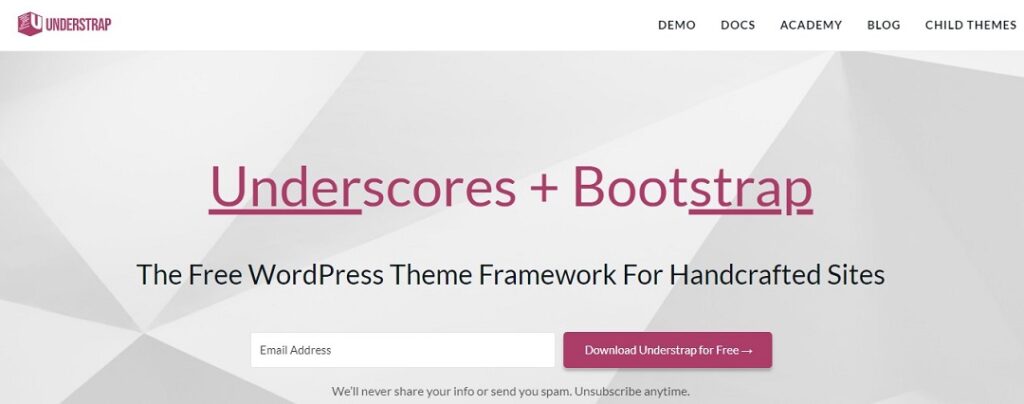
For WordPress developers looking for a flexible and highly customizable theme, Understrap stands out as a top choice. It combines the minimalistic structure of the Underscores (_s) starter theme with the responsive, feature-rich Bootstrap framework. This fusion creates a powerful, developer-friendly WordPress theme that offers a solid foundation for building custom websites.
In this article, we will explore the key features, advantages, and customization options of the Understrap WordPress theme, and why it might be the perfect solution for your next project.
. What is Understrap?
Understrap is an open-source WordPress theme designed to help developers build responsive, mobile-first websites efficiently. It merges two popular tools: Underscores (_s), which is a minimalist WordPress starter theme, and Bootstrap, a front-end framework that includes a responsive grid system, pre-built UI components, and JavaScript functionality.
This combination provides developers with a lightweight and flexible theme that’s fully customizable. Understrap simplifies the development process by providing essential features out of the box, such as mobile responsiveness, grid layouts, and compatibility with major WordPress plugins, including WooCommerce for e-commerce.
. Why Choose Understrap?
There are several compelling reasons why Understrap is an ideal choice for developers:
. Combination of Underscores and Bootstrap
The foundation of Understrap is its unique combination of Underscores and Bootstrap. Underscores gives developers a well-structured, clean theme that adheres to WordPress coding standards. Bootstrap, on the other hand, provides a responsive, mobile-first framework with a built-in grid system and reusable UI components like buttons, forms, and navigation bars.
By merging these two tools, Understrap offers the best of both worlds: the flexibility and cleanliness of Underscores with the powerful design features of Bootstrap. This makes it easier for developers to build responsive websites without starting from scratch.
. Fully Responsive Design
With Bootstrap as its backbone, Understrap ensures that your website is fully responsive. The theme follows a mobile-first design approach, meaning that your website will adapt beautifully to all screen sizes, whether it’s being viewed on a desktop, tablet, or smartphone. This is essential in today’s world, where more users access websites via mobile devices.
The responsive grid system included in Bootstrap allows developers to create flexible, multi-column layouts without writing complex custom CSS. The grid adjusts based on screen size, ensuring a seamless experience across different devices.
. Developer-Friendly and Customizable
Understrap is built with developers in mind, making it easy to customize and extend. The theme adheres to WordPress coding standards, is well-documented, and is structured to allow easy modification. Developers can create custom page templates, add new features, and customize the theme’s functionality using standard WordPress practices.
The theme also comes with Sass (Syntactically Awesome Style Sheets) pre-integrated, allowing developers to write modular CSS, use variables, and create clean, maintainable styles. Additionally, the Gulp task runner automates tasks such as compiling Sass into CSS, minifying files, and optimizing images, streamlining the development workflow.
. Lightweight and Fast Performance
Understrap is designed to be lightweight and fast, with minimal bloat. It only includes essential features, making it a performance-friendly option for developers. Since Bootstrap is included in its entirety, developers can choose which components to use, further optimizing the theme’s performance by excluding unnecessary styles and scripts.
The clean, well-organized codebase also makes it easier to maintain high performance, ensuring faster page load times and a better user experience.
. WooCommerce Compatibility
For developers looking to build e-commerce websites, Understrap is fully compatible with WooCommerce, the most popular WordPress plugin for online stores. The theme provides seamless integration with WooCommerce, allowing you to create beautiful, responsive product pages, shopping carts, and checkout systems.
WooCommerce compatibility makes Understrap an excellent choice for developers who want to build custom online stores, as they can leverage the powerful e-commerce features of WooCommerce while maintaining full control over the design and functionality.
. Key Features of Understrap
. Bootstrap Grid System
The Bootstrap grid system is a 12-column, fully responsive grid that makes it easy to create flexible layouts. Whether you’re designing a blog, a portfolio, or an e-commerce store, the grid system gives you the flexibility to design multi-column layouts that adapt to different screen sizes.
With pre-built classes for different breakpoints (e.g., small, medium, large screens), developers can control how the layout behaves across devices without writing custom media queries.
. Pre-Built UI Components
One of Bootstrap’s greatest advantages is its wide range of pre-built UI components, such as buttons, forms, modals, carousels, and navigation bars. Understrap includes all of these components, allowing developers to quickly create functional and visually appealing elements without building them from scratch.
These components are also customizable, so you can easily modify their appearance to match your brand’s style.
. Built-In Sass Support
Understrap includes Sass, which is a powerful tool for writing modular and maintainable CSS. Sass allows you to use features like variables, mixins, and nesting, which simplifies the process of managing your website’s styles. By using variables, for example, you can define a color scheme for your website in one place and easily change it across all stylesheets.
Sass also encourages a more structured approach to CSS, which is especially helpful when working on large projects with multiple developers.
. Accessibility Ready
Understrap is built with accessibility in mind, ensuring that your website is usable by people with disabilities. The theme follows the Web Content Accessibility Guidelines (WCAG), which means it includes features like keyboard navigation, screen reader compatibility, and proper color contrast to ensure the site is accessible to a wider audience.
. WordPress Customizer Integration
The theme integrates with the WordPress Customizer, allowing you to make changes to your site’s appearance in real-time. You can customize elements like colors, fonts, logos, and layouts without writing code. This feature is particularly useful for users who aren’t developers but want to make basic adjustments to their website’s design.
. Customization and Flexibility
One of the main benefits of Understrap is the high degree of flexibility it offers. Whether you’re an experienced developer building a custom theme from scratch or a designer looking to tweak the design, Understrap gives you the tools to create a tailored website.
. Child Theme Support
Understrap fully supports child themes, allowing developers to create custom designs without modifying the parent theme. This ensures that when the parent theme is updated, the child theme’s customizations remain intact. Child themes are a great way to extend the functionality of Understrap without worrying about losing changes during updates.
. Custom Page Templates
Understrap makes it easy to create custom page templates for specific pages on your website. Whether you need a unique layout for your blog, homepage, or product pages, you can modify the theme’s existing templates or create entirely new ones. This level of customization gives you full control over how your website looks and functions.