Also visit: Bute WordPress Theme
The Litho HTML5 Template: A Comprehensive Overview
In today’s digital age, having a visually appealing and highly functional website is crucial for businesses, freelancers, and creatives alike. The Litho HTML5 template has emerged as a popular choice for those looking to create stunning and responsive websites without extensive coding knowledge. In this article, we’ll delve into the features, benefits, and best practices for using the Litho HTML5 template to maximize your online presence.
What is the Litho HTML5 Template?
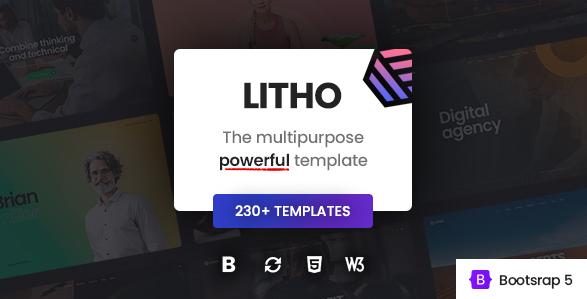
Litho is a modern, multipurpose HTML5 template designed to cater to a wide array of industries and personal projects. Whether you’re creating a portfolio, corporate site, e-commerce platform, or blog, Litho provides a robust framework that is both user-friendly and flexible. Built with the latest web technologies, it ensures compatibility across devices and browsers, delivering a seamless user experience.
Key Features of Litho HTML5 Template
. Responsive Design: Litho is fully responsive, meaning your website will look great on desktops, tablets, and smartphones. This feature is essential for enhancing user experience and improving SEO rankings, as search engines prioritize mobile-friendly sites.
. Customization Options: Litho offers an extensive range of customization options, allowing users to tweak layouts, colors, fonts, and more without touching a line of code. This is particularly beneficial for those who may not have a background in web design.
. Pre-built Demos: One of the standout features of the Litho template is its library of pre-built demos. These professionally designed templates cater to various niches, enabling users to kickstart their projects quickly and efficiently.
. SEO-Friendly: The template is designed with SEO best practices in mind. Clean code, fast loading speeds, and optimized images all contribute to better search engine visibility, which is crucial for attracting organic traffic.
. Cross-Browser Compatibility: Litho ensures that your website performs consistently across all major browsers, including Chrome, Firefox, Safari, and Edge. This reliability helps reach a wider audience and enhances the overall user experience.
. Parallax Scrolling: The template incorporates parallax scrolling effects, which create a visually engaging experience as users navigate through your site. This modern design trend helps to keep visitors interested and encourages them to explore more.
. Smooth Animations: Litho includes a range of smooth animations that can be applied to various elements on your site. These animations can enhance user interaction and make your site more dynamic.
. Integrated Plugins: Litho comes bundled with essential plugins, such as sliders, galleries, and forms, streamlining the website-building process. This feature saves time and reduces the need for third-party installations.
. Documentation and Support: Comprehensive documentation accompanies the Litho template, guiding users through installation and customization. Additionally, reliable customer support ensures that any issues can be promptly addressed.
Benefits of Using Litho HTML5 Template
. User-Friendly: The template is designed with the end-user in mind. Its intuitive interface makes it easy for anyone, regardless of technical skill level, to create a professional-looking website.
. Time-Saving: With pre-built demos and customizable elements, Litho drastically reduces the time required to launch a website. Users can select a demo, tweak it to their liking, and go live quickly.
. Cost-Effective: By offering a comprehensive suite of features in a single package, Litho eliminates the need for multiple subscriptions or purchases of separate plugins. This can lead to significant cost savings for individuals and businesses.
. Future-Proof: With regular updates and a commitment to staying current with web design trends, Litho ensures that your website remains relevant and functional for years to come.
. Versatile Applications: Whether you’re a small business owner, a freelancer, or a creative professional, Litho can be adapted to suit various needs, making it a versatile choice for a wide audience.
Getting Started with Litho HTML5 Template
. Installation: Begin by downloading the Litho template from the official website or a trusted marketplace. Follow the provided instructions to upload the template files to your web hosting server.
. Choose a Demo: Explore the demo options available and select one that closely aligns with your vision. Import the demo content to save time on layout and design.
. Customize Your Site: Use the template’s built-in customization tools to modify colors, fonts, and layouts. You can also add your own content, images, and branding elements to make the site uniquely yours.
. Optimize for SEO: Make sure to implement SEO best practices by optimizing meta tags, alt text for images, and creating quality content that is relevant to your audience.
. Test Across Devices: Before launching your site, test it across various devices and browsers to ensure a consistent experience for all users.
. Launch and Promote: Once satisfied with the design and functionality, go ahead and launch your site! Promote it through social media, email marketing, and other channels to attract visitors.
Best Practices for Using Litho HTML5 Template
- Keep It Simple: While Litho offers many customization options, avoid cluttering your site with too many elements. A clean, simple design often leads to a better user experience.
- Regular Updates: Stay updated with the latest version of the Litho template to benefit from new features, security patches, and improvements.
- High-Quality Content: Focus on creating valuable content that resonates with your audience. Quality over quantity is key to retaining visitors and improving SEO.
- Monitor Performance: Use tools like Google Analytics to monitor your site’s performance. Pay attention to user behavior and adjust your content or design as needed.
- Engage with Your Audience: Incorporate features like comment sections, contact forms, and social media links to foster interaction with your visitors.