Also visit: Anmona WordPress Theme
Geekfolio HTML Template: Building the Perfect Portfolio for Geeks and Creatives
In a world driven by digital experiences, having a well-crafted online portfolio is no longer optional—it’s essential. Whether you’re a developer, designer, photographer, or creative professional, your portfolio website is your chance to showcase your skills, creativity, and personality to potential clients or employers. Geekfolio HTML Template offers a sleek, modern, and highly customizable solution for building a personal portfolio or professional profile website. Designed with developers and creatives in mind, it is packed with features that make your work stand out while ensuring an intuitive and polished user experience.
This article will dive into the key features of Geekfolio, explore the benefits of using it for your portfolio, and provide a step-by-step guide on how to use this template effectively.
What is Geekfolio HTML Template?
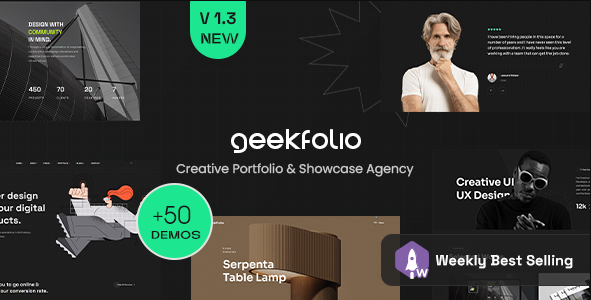
The Geekfolio HTML Template is a modern, responsive HTML template designed specifically for personal portfolios, digital resumes, or professional profiles. It offers a clean and well-structured layout that highlights key aspects of your work and professional achievements. With Geekfolio, you can create an interactive and visually appealing portfolio that can feature your skills, projects, experiences, and contact details in a way that leaves a lasting impression on visitors.
Key Features of Geekfolio HTML Template
. Responsive and Mobile-Ready Design
One of the standout features of Geekfolio is its responsive design. Your portfolio will look amazing on any device, whether it’s a desktop, tablet, or smartphone. In today’s world, many people browse websites on their mobile devices, so having a mobile-friendly site is critical to ensuring that potential clients and employers can easily navigate your portfolio regardless of the device they’re using.
. Clean and Modern Aesthetic
The Geekfolio template offers a minimalist yet stylish design that emphasizes simplicity and usability. Its clean layout helps direct the focus toward your work and accomplishments without unnecessary clutter or distractions. The modern design elements and typography create a professional feel that’s perfect for developers, designers, and other tech professionals looking to showcase their expertise.
. Pre-designed Sections for Showcasing Work
Geekfolio is built with portfolio needs in mind. It comes with pre-designed sections where you can highlight your projects, skills, work experience, education, and achievements. These sections include:
- Project Showcase: Display your completed projects with screenshots, descriptions, and links.
- Skills Overview: Showcase your expertise in programming languages, design tools, or other specialized skills.
- Experience Timeline: Present your work history in a visually appealing timeline format.
- Education and Certifications: Highlight your academic background and any relevant certifications.
- Testimonials: Showcase feedback and recommendations from clients or employers.
These features make it easy to present your personal story and professional experience in a way that stands out.
. Smooth Animations and Transitions
Geekfolio integrates smooth CSS animations and transitions to enhance the user experience. These animations help guide the visitor’s attention and make the site feel dynamic without overwhelming the content. For example, images can fade in as users scroll, or buttons can have hover effects, making your portfolio more interactive and visually engaging.
. Blog Integration
For those who want to share their knowledge or personal thoughts, Geekfolio includes a blog layout. Having a blog allows you to create valuable content that can boost your online visibility and SEO rankings. You can share insights on industry trends, tutorials, or updates about your projects, helping to position yourself as an expert in your field.
. SEO-Optimized
Geekfolio is designed with SEO in mind. It uses semantic HTML, fast loading times, and clean code to help search engines easily index and rank your site. Combined with a blog, the SEO-friendly structure can significantly boost your online presence and make your portfolio more discoverable by potential clients or employers.
. Customizable and Easy to Modify
One of the biggest advantages of Geekfolio is its flexibility. You can easily customize colors, fonts, layouts, and content to match your personal style or brand identity. The template’s well-organized codebase makes it simple to modify, even for those who aren’t advanced web developers. Plus, it’s well-documented, so you’ll have no trouble finding instructions for making specific changes.
. Contact Forms and Social Media Integration
Geekfolio includes a fully functional contact form, which is essential for allowing potential clients or employers to get in touch with you. Additionally, it features easy social media integration, letting visitors connect with you on platforms like LinkedIn, GitHub, Behance, or Instagram, boosting your network visibility and engagement.
. Cross-Browser Compatibility
The template is compatible across all major browsers, including Google Chrome, Firefox, Safari, and Microsoft Edge. Ensuring that your portfolio works seamlessly for all users is crucial for providing a consistent and professional experience.
Benefits of Using Geekfolio HTML Template
. Professional First Impressions
Your portfolio website is often the first point of contact with potential employers or clients. Geekfolio’s sleek design and structured layout ensure that you make a lasting, professional first impression. A polished and visually engaging website can set you apart from the competition.
. Time-Saving and Cost-Effective
Creating a custom portfolio from scratch can be both time-consuming and expensive. With Geekfolio, you get a ready-made solution that you can quickly customize to your liking. This saves time and cuts down on development costs, allowing you to focus on showcasing your work rather than building the site from the ground up.
. Easy for Non-Developers
Even if you’re not a coding expert, Geekfolio is designed to be user-friendly. With clear documentation and an intuitive layout, it’s easy to modify and update the template without needing advanced technical skills. This makes it accessible for creatives who may not have extensive experience with web development.
. SEO and Traffic Growth
With its built-in SEO features and blog integration, Geekfolio helps you improve your search engine rankings. Publishing blog posts or case studies related to your work not only keeps your site updated but also drives organic traffic. Over time, this can lead to more visibility and opportunities.
. Showcasing a Wide Range of Skills
Geekfolio’s diverse sections make it easy to showcase a variety of skills and projects. Whether you’re a programmer demonstrating coding proficiency, a designer showing off creative portfolios, or a freelancer presenting past client work, the template is flexible enough to accommodate different types of content.
. Enhanced User Experience
Thanks to its responsive design, smooth animations, and clean layout, Geekfolio ensures that visitors have a seamless and enjoyable experience. This is important because a well-structured and easy-to-navigate portfolio increases the likelihood that visitors will explore your content and reach out to you.
How to Use Geekfolio HTML Template Effectively
: Installation
Once you purchase and download Geekfolio, unzip the file and upload it to your web hosting platform. You can use an FTP client or the hosting provider’s file manager to upload the files.
: Customization
After installation, customize the template to reflect your personal or brand identity. Update colors, fonts, and images to align with your style. Add your content to the portfolio sections, including details about your projects, work experience, education, and skills.
: Integrate Social Links and Contact Forms
Make sure your social media profiles are linked and that your contact form is set up correctly. Test the form to ensure it’s working, so visitors can easily reach out to you.
: Optimize for SEO
Use relevant keywords in your content, meta descriptions, and alt text for images. Regularly updating your blog with relevant content will also help with SEO. Ensure that your site’s loading time is optimized by compressing images and enabling caching.
: Test and Launch
Test your portfolio on multiple devices and browsers to make sure it’s responsive and cross-compatible. After making any necessary adjustments, launch your website and share it with your network!